A value kept in the browser, so it is still there after a reload.In the glossary
() is a value the browser keeps for the reader, so a reload doesn't reset it.
import { storage } from '@markless/core';letthemelet theme: string=storagestorage · Saved valueString state saved in the browser's localStorage, so it survives a reload. Each change also sets a data- attribute on <html> that your CSS can read.('theme', 'light');export default functionThemefunction Theme(): Element() @{@{ · Statement containerHolds instructions: setup lines, then the element to show. <p<p> · HTML elementA paragraph.>Theme: {theme}</p<p> · HTML elementA paragraph.>}
storage() takes a key, 'theme', and a starting value, 'light'. You read and write theme like any other variable.
A reload keeps storage(), not state()
A reload starts the page over from its code. state() starts over with it, and storage() doesn't.
The dark-mode switch is storage(): it stays dark.
The sidebar is state(): it closes again.
Clear the site data, and storage() starts over too.
Flip the switch, open the sidebar, then press the reload arrow.
A pen-and-ink browser window at notes.app, with a pink reload arrow and a small cookie in its address bar. Inside is a page with a dark-mode switch, kept in storage(), and a menu button that opens a sidebar, kept in state(). Flip the switch and open the sidebar, then reload: the page redraws, the switch stays where you left it, and the sidebar closes. Drag the cookie out of the address bar to clear site data, reload, and the switch starts over too. Escape puts everything back.
The key must be written as a plain string, so the build can find every saved value.
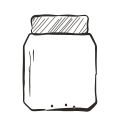
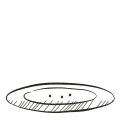
Bake some cookies. The jar is storage(): the browser keeps it, in a real cookie, for this reader. The plate is state(), and on every reload Frodough eats whatever was on it.
PlaygroundType @ or < for suggestions · F1 explains a wordRestored your edit·
To do: Press the Jar button and the Plate button twice each, then reload this page. The jar keeps its cookies; the plate starts empty.
To do: Change the jar's key to 'tin'. The cookies sit under the old key, so the jar starts empty.
To do: Try breaking it: build the key, storage('j' + 'ar', '0'). The build stops, because it can't find a key that isn't written out.
Each write saves in three places
a cookie named markless-theme, so the server renders the value in the first byte
localStorage, under theme
data-theme on <html>, for your CSS
A page that shows a storage() value answers Cache-Control: private, so a shared cache never hands one reader's page to another.
One argument names the key for you
Call
Saved under
Attribute on <html>
storage('theme', 'light')
theme
data-theme
storage('light')
markless:theme
data-markless-theme
With one argument, the key comes from the variable name, so renaming the variable loses saved values. Pass the key yourself for anything you ship.
The value is always a string. On a prerendered page, a small script sets the <html> attribute before the content, for the page file and, on an .mdx page, the components it imports directly.