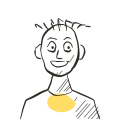
@for draws one row per item, and a key tells the page which row is which.
import { state } from '@markless/core';export default functionShelffunction Shelf(): Element() @{@{ · Statement containerHolds instructions: setup lines, then the element to show. letbookslet books: { id: string; title: string; }[]=statestate · Watched valueDeclares a variable the page watches. You read and assign it like any other variable, and the page keeps up.([ { id: 'dune', title: 'Dune' }, { id: 'emma', title: 'Emma' }, ]); <ul<ul> · HTML elementA list whose order does not matter.>@for@for · ListShows its block once per item. It needs a key. (constbookconst book: { id: string; title: string; }of books; key book.id) { <li<li> · HTML elementOne item in a list.>{book.title}</li<li> · HTML elementOne item in a list.> } </ul<ul> · HTML elementA list whose order does not matter.>}
@for@for · ListShows its block once per item. It needs a key. draws one <li> per book. key book.id names each row by its data, so the page can tell the rows apart.
Every row needs a key
A key is a value that names one item for good, like an id. Every @for@for · ListShows its block once per item. It needs a key. needs one, even over a list that never changes.
PlaygroundType @ or < for suggestions · F1 explains a wordRestored your edit·
import { state } from '@markless/core';export default function Clones() @{ let marks = state([{ id: 1 }]); function clone() { marks.push({ id: marks.length + 1 }); } <sectionclass="clones"> <h1>Definitely normal humans</h1> <ul>@for (const mark of marks; key mark.id) { <li> <imgsrc="/examples/ink/mark.svg"alt="" /> <b>id {mark.id}</b> </li> } </ul> <buttononClick={clone}>Clone Mark</button> </section>}
To do: Press Clone Mark twice. Three Marks look exactly alike, and each is its own row, because each has its own id.
To do: Try breaking it: delete ; key mark.id. The build stops, because every row needs a key.
Add and remove rows
Change the array the way you change any array: push, splice or filter. The page adds or removes just those rows. @empty@empty · Empty list branchShows when the list has no items. shows instead when the list has no rows. Keys must be unique: two patches with the same id would be one row too many.
PlaygroundType @ or < for suggestions · F1 explains a wordRestored your edit·
import { state } from '@markless/core';import { insult, patch } from './patches.ts';export default function Review() @{ let queue = state([0, 1].map(patch)); function send() { queue.push(patch(queue.length)); } function reject() { queue.splice(0, 1); } <sectionclass="review"> <imgsrc="/examples/ink/linus.svg" alt="" /> <p>{insult(queue.length)}</p> <ul>@for (const p of queue; key p.id) { <li>{p.file}</li> } @empty { <liclass="zero">Queue empty</li> } </ul> <buttononClick={send}>Send patch</button> <buttononClick={reject}>Reject</button> </section>}
const files = [ 'fix-typo.patch', 'tabs-to-spaces.patch', 'rewrite-in-rust.patch', 'add-ai.patch', 'friday-deploy.patch',];const lines = [ 'Finally, some peace.', 'One left. Still too many.', 'Did you even compile this?', 'Who taught you C?', 'NAK. All of it.',];export const patch = (n: number) => ({ id: crypto.randomUUID(), file: files[n % files.length],});export const insult = (n: number) => lines[Math.min(n, lines.length - 1)];
To do: Press Reject twice. The queue is empty, so the @empty row takes over.
To do: Make Reject throw out the newest patch instead: change queue.splice(0, 1) to queue.pop().
A row's own state moves with its key
When a row needs state of its own, like whether a guest has sat down, make the row a component in its own file, here place-card.tsrx. Each row gets its own state(), and the key keeps it with its guest when the list moves.
Reverse or sort the list, and each row moves with its item.
What the row holds rides along.
No row is built again.
Press Reverse, or drag a card onto another place.
Three folded name cards stand in three numbered places: Grace, Linus and Ada, with Grace ticked. Press Reverse, or drag a card onto another place, or focus a card and use the arrow keys: the cards walk to their new places and each tick goes with its own card, while the place numbers stay put. Click a card, or press Space on it, to tick it.PlaygroundType @ or < for suggestions · F1 explains a wordRestored your edit·
import { state } from '@markless/core';import { GUESTS } from './guests.ts';import { PlaceCard } from './place-card.tsrx';export default function PlaceCards() @{ let guests = state([...GUESTS]); <sectionclass="feast"> <h1>Fellowship dinner</h1> <ul>@for (const guest of guests; key guest.id) { <PlaceCardguest={guest} /> } </ul> <buttononClick={() => guests.reverse()}> Reverse </button> </section>}
import { state } from '@markless/core';import type { Guest } from './guests.ts';export function PlaceCard({guest,}: {guest: Guest;}) @{ let seated = state(false); <li> <button aria-pressed={seated}onClick={() => (seated = !seated)} > <imgsrc={guest.face} alt="" /> {guest.name} {seated ? ', seated' : ''} </button> </li>}
To do: Press Grandalf to seat him, then press Reverse. Grandalf moves to the end, still in his chair.
To do: Try breaking it: in place-cards.tsrx, write let seated = state(false); straight inside the @for, above <PlaceCard>. The build stops, because a row's state belongs in a row component.
Change one row in place
To change one row, write to its item: seat.status = 'taken'. Only that row updates, and so does anything worked out from the list.
PlaygroundType @ or < for suggestions · F1 explains a wordRestored your edit·
import { computed, state } from '@markless/core';export default function Tusk() @{ let things = state([ { id: 'a', name: 'Bird app' }, { id: 'b', name: 'Rocket' }, { id: 'c', name: 'Car' }, { id: 'd', name: 'Dog' }, ]); const left = computed(() => things.filter((t) => t.name !== 'X').length, ); <sectionclass="tusk"> <imgsrc="/examples/ink/melon.svg" alt="" /> <p>{left} left to rename</p>@for (const thing of things; key thing.id) { <buttonclass={thing.name}onClick={() => (thing.name = 'X')} > {thing.name} </button> } </section>}
To do: Press Rocket. Melon renames it X: only that sign changes, and the count in his speech bubble drops.
To do: Add a Rename all button under the signs that runs things.forEach((t) => (t.name = 'X')).
A row component can't write to the object it was given. Pass it a function to call instead, as Components shows.
Filter and sort with a computed
The rows you show are worked out from the full list, so put that in a computed. Type on the drawer's label: the cards that don't match sink, and the rest close up in their order.
6 of 6 cards shown
An ink drawing of a library card-catalogue drawer with six index cards standing in it, a title on each tab. The brass label on the drawer front is a text box: type in it and the cards whose title doesn't match sink below the drawer edge, while the cards that match close up at the front in the same order. Clear it, or press Escape, and they all rise back.PlaygroundType @ or < for suggestions · F1 explains a wordRestored your edit·
import { computed, state } from '@markless/core';import { sides, stash } from './stash.ts';export default function Stash() @{ let side = state('Precious'); const shown = computed(() => stash.filter((t) => t.side === side), ); <sectionclass="cave"> <h1class={side}>Smeagle's stash</h1>@for (const s of sides; key s) { <buttononClick={() => (side = s)}> {s} </button> } <ul>@for (const t of shown; key t.name) { <li> <imgsrc={t.pic} alt="" /> {t.name} </li> } @empty { <li>Smeagle shares nothing</li> } </ul> </section>}
To do: Press Nasty. Smeagle shows his other face, and his nasty pile shows.
To do: Sort them: add .toSorted((a, b) => a.name.localeCompare(b.name)) after the filter.
To do: Press Shared. Nothing in the stash is shared, so the @empty row shows.
Loop over a Set or a Map
@for@for · ListShows its block once per item. It needs a key. reads a Set or a Map directly. Pull a Map's key and value apart with [n, item]. For a plain object, loop over computed(() => Object.entries(prices)).
PlaygroundType @ or < for suggestions · F1 explains a wordRestored your edit·
import { state } from '@markless/core';export default function Roadmap() @{ const ideas = ['Fusion', 'Moon base', 'UBI']; let road = state(new Map([ ['AGI', 3000], ['Robot butler', 5000], ])); function ship() { for (const [goal, days] of road) road.set(goal, days + 1000); } function pitch() { road.set(ideas[road.size % 3]!, 2000); } <sectionclass="ram"> <imgsrc="/examples/ink/ram.svg" alt="" /> <h1>Ram's roadmap</h1>@for (const [goal, days] of road; key goal) { <pstyle={'--days:' + days}> {goal} in {days} days </p> } <buttononClick={ship}>Ship it</button> <buttononClick={pitch}>New idea</button> </section>}
To do: Press Ship it. Every flag runs another thousand days away.
To do: Add a Pivot button that runs road.clear().
Number the rows with index
index i gives each row its place, for display. The key stays on the data:
@for@for · ListShows its block once per item. It needs a key. (constbookconst book: anyof books; index i; key book.id) { <liany>{i + 1}. {book.title}</liany>}
Repeat a fixed number of times
Loop over a short array of numbers, keyed by the number:
@for@for · ListShows its block once per item. It needs a key. (constnconst n: numberof [1, 2, 3, 4, 5]; key n) { <span<span> · HTML elementA plain piece of text with no meaning of its own.>{n <=starsimport stars? '★' : '☆'}</span<span> · HTML elementA plain piece of text with no meaning of its own.>}
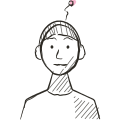 id 1
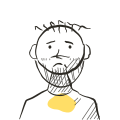
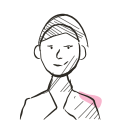
 Ring
 Fish